Overview
To help your video content appear in Google’s video search results and boost your page’s SEO, you can inject a JSON-LD schema for your first widget video.
By simply adding jsonld="true" to your video widget, our system automatically includes video metadata that allows search engines to understand and index your video correctly.
If a video description is provided, it will also be included in the generated ld+json schema, further enhancing SEO visibility.
How to Enable JSON-LD for Your Video Widget
Step 1: Locate Your Video Widget
Find the code snippet for your first video widget on the page.
Example:
<widget-video src="https://example.com/video.mp4" title="Product Overview"></widget-video>Step 2: Add the JSON-LD Attribute
Add jsonld="true" to enable structured data injection.
Example:
<widget-video
  src="https://example.com/video.mp4"
  title="Product Overview"
  jsonld="true">
</widget-video>
Step 3 : Add a Video Description (Recommended for SEO)
Add a description attribute to provide more context about your video content.
This description helps search engines better understand what your video is about and improves discoverability in video search results.
Step 4: Publish or Update Your Page
Once the page is loaded and the widget renders, the system will automatically:
-
Detect the first video widget with
jsonld="true" -
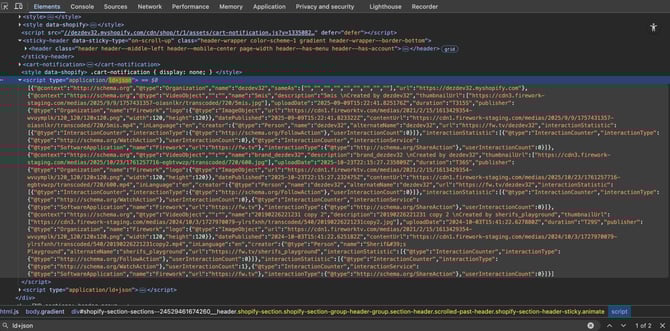
Inject a JSON-LD VideoObject schema into your page header
Example of Injected Schema